


Product Carousel Tabs


2022 MacBook Pro with M2 chip 8GB RAM 256GB SSD 13.3 inch Display


Apple 24-inch iMac with Retina 4.5K display, Apple M1 chip 8-core CPU, 7-core GPU, 256GB SSD, 24″ UHD (MJV93X/A)

Apple 24-inch iMac with Retina 4.5K display, Apple M1 chip 8-core CPU, 7-core GPU, 256GB SSD, 24″ UHD (MJV93X/A)
Apple M1 24-inch iMac with Retina 4.5K display 8-core CPU and 7-core GPU 256GB – Blue MJV93X/A


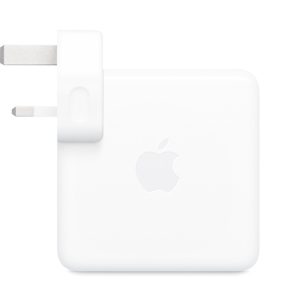
Apple 87W USB-C Power adapter – White – MNF82LL/A

Apple 87W USB-C Power adapter – White – MNF82LL/A



Apple Macbook Air 11-Inch A1465 (Early 2015) Intel Core i5 4GB RAM 128GB SSD Silver – MJVM2LL/A

Apple Macbook Air 11-Inch A1465 (Early 2015) Intel Core i5 4GB RAM 128GB SSD Silver – MJVM2LL/A
WD 1TB My Passport USB 3.2 Gen 1 External Hard Drive

WD 1TB My Passport USB 3.2 Gen 1 External Hard Drive
Every journey needs a passport.
The My Passport drive is trusted, portable storage that gives you the confidence and freedom to drive forward in life. With a new, stylish design that fits in the palm of your hand, there’s space to store, organize, and share your photos, videos, music, and documents. Perfectly paired with WD Backup™ software and password protection, the My Passport drive helps keep your digital life’s contents safe.
Slim style
Make the most of your journey with style that suits you. The new My Passport has been redesigned to feature a convenient, slim form factor and is available in a range of vibrant colors.
Backed up
Make sure everything you create while on your own life journey – photos, videos, music, and documents – doesn’t get lost. The My Passport drive comes equipped with WD Backup™ software that can be set to run automatically to your schedule. Just pick the time and frequency to back up important files from your system onto your My Passport drive.
Locked down
Keep your digital life’s contents secure with My Passport password protection and built-in 256-bit AES hardware encryption. Just activate password protection and set your own personalized password using WD Discovery™.
Super easy
My Passport portable storage is ready right out of the box including all necessary cables. And with SuperSpeed USB, you can quickly start backing up everything in your life and keep driving forward.
Social friendly
Included WD Discovery™ software lets you connect to popular social media and cloud storage services like Facebook, Dropbox, and Google Drive™. Seamlessly import, organize, and share your photos, videos, and docs to the My Passport drive to backup your online social life. WD Discovery can also manage your drive through WD Drive Utilities™.
Ongoing confidence
There’s no telling what’s ahead in your own journey. That’s why WD builds drives to demanding requirements for durability and long-term reliability. On top of that, it comes with a 3-year limited warranty.
Specifications:-
• Capacity : 1 TB
• Interface: USB 3.2 Gen 1
• Compatibility: Windows® 10 or Windows 8.1 operating systems. Requires reformatting for other operating systems.
• Dimensions (L x W x H): 4.22″ x 2.95″ x 0.44″
In The Box
• Portable hard drive
• SuperSpeed USB cable
• WD Discovery™ software
• Quick install guide

Hp EliteBook 830 G5, 8th Gen Intel Core i5, 8GB RAM, 128GB SSD, 13.3″ Display, Backlit Keyboard

Hp EliteBook 830 G5, 8th Gen Intel Core i5, 8GB RAM, 128GB SSD, 13.3″ Display, Backlit Keyboard
Key Specifications
*Intel Core i5 8th Generation Processor 2.8 GHz Base frequency, up to 4.7 GHz with Intel Turbo Boost
Technology ,12 MB cache, 4 cores
*8GB DDR4-3200 SDRAM (1 x 8GB)
*Integrated ,Intel Iris Xe Graphics
*33.78 cm (13.3 in) diagonal FHD bent, anti-glare UMA eDP, 250 nits, 45% NTSC for HD Camera for WWAN 4G (1920 x 1080)
*128GB PCle Gen 3 x4 NVMe M.2 TLC SSD
*(2) USB Thunderbolt 4 Type-C ports with USB4 support (SuperSpeed USB 20 Gbps is not available)
*Audio by Bang & Olufsen
*Microsoft Precision Touchpad default gestures support
*Intel Wi-Fi 6 AX201 (2×2) and Bluetooth 5 combo, non-vPro

Lexar 128GB JumpDrive V100 USB 3.0 Flash Drive (LJDV100-128ABGY)
Key Features

Apple MacBook Pro (2022) MNEJ3ZE/A, M2 Chip with 8-Core, 13.3″ Retina, 8GB Unified RAM, 512GB Solid State Drive, Space Grey

Apple MacBook Pro (2022) MNEJ3ZE/A, M2 Chip with 8-Core, 13.3″ Retina, 8GB Unified RAM, 512GB Solid State Drive, Space Grey
HP EliteBook 840 G8, 11th Gen Intel Core i5-1135G7, 8GB RAM, 512GB SSD, 14.0 Inch FHD (1920×1080)

HP EliteBook 840 G8, 11th Gen Intel Core i5-1135G7, 8GB RAM, 512GB SSD, 14.0 Inch FHD (1920×1080)
Kyocera ECOSYS M3145idn A4 Mono Multifunction Laser Printer (black and white) Print/Scan/Copy – 1102V23NL0

Kyocera ECOSYS M3145idn A4 Mono Multifunction Laser Printer (black and white) Print/Scan/Copy – 1102V23NL0


Crucial 4GB Single DDR4 2400 MT/s (PC4-19200) SR x8 DIMM 288-Pin Memory – CT4G4DFS824A
Crucial 4GB Single DDR4 2400 MT/s (PC4-19200) SR x8 DIMM 288-Pin Memory – CT4G4DFS824A
Crucial Desktop Memory
The fastest, easiest way to improve your desktop’s performance
There’s an easy cure for a slow computer: more memory. Designed to help your system run faster and smoother, Crucial Desktop Memory is one of the easiest and most affordable ways to improve your system’s performance. Load programs faster. Increase responsiveness. Run data-intensive applications with ease, and increase your desktop’s multitasking capabilities.
Make everything on your computer faster
 Memory is a component in your computer that allows for short-term data access. Since your system’s moment-to-moment operations rely on short-term data access – loading applications, browsing the Web or editing a spreadsheet – the speed and amount of memory in your system plays a critical role. Load apps in seconds by increasing the speed of your memory and installing more of it.
Multitask with ease
 If you’re like us, you use your computer to do lots of things at once. You might be editing a document, while also looking at pictures and browsing the Internet. This naturally leads to a performance problem: every app you’re running requires memory and competes for a limited pool of resources. Overcome this by installing high-density modules in each memory slot for seamless multitasking.
Install with ease – no computer skills required
 With just a screwdriver, your owner’s manual, and a few minutes of time, you can install memory – no computer skills necessary. Just watch one of our three-minute install videos, and we’ll walk you step-by-step through the process. Don’t pay a computer shop to do something you can do in minutes!
Maximize the value of your system
 At a fraction of the cost of a new system, a memory upgrade is one of the most affordable ways to increase performance. Get more out of your desktopby giving it the resources it needs to perform.
Micron® quality — a higher level of reliability.
As a brand of Micron, one of the largest memory manufacturers in the world, Crucial memory represents the future of workstation and server capability. From the original DDR technology to DDR4, we’ve engineered the memory technologies that have powered the world’s systems for 35 years and counting. Designed for leading platforms, compatible with OEM systems and warranties, and backed by a limited lifetime warranty, Crucial memory pushes the limits on performance.



